TFalke Control Plane
TFalke is a real-time MDM and infrastructure control platform designed to provide instant device visibility, verified execution, compliance enforcement, application deployment, and AI-assisted operations across enterprise environments.
Real-Time Operations
Persistent communication enables instant execution without traditional polling delays.
Verified Execution
Every action returns an execution result for operational certainty.
AI-Assisted Management
Diagnose systems, automate workflows, and execute commands using natural language.
Platform Architecture
TFalke organizes infrastructure management into a centralized control plane with real-time communication between administrators, policies, applications, and managed endpoints.
Devices
Managed Windows endpoints connected through persistent secure communication channels.
Groups
Logical device collections used for policy targeting and software deployment.
Policies
Configuration profiles that define security and operational behavior.
Compliance
CIS-based compliance frameworks with audit and enforcement modes.
Applications
Centralized software catalog with deployment and assignment capabilities.
AI Agent
AI-assisted operational layer for diagnostics, automation, and infrastructure troubleshooting.
Device Enrollment
Devices are securely onboarded using enrollment keys with optional expiration dates and usage restrictions.
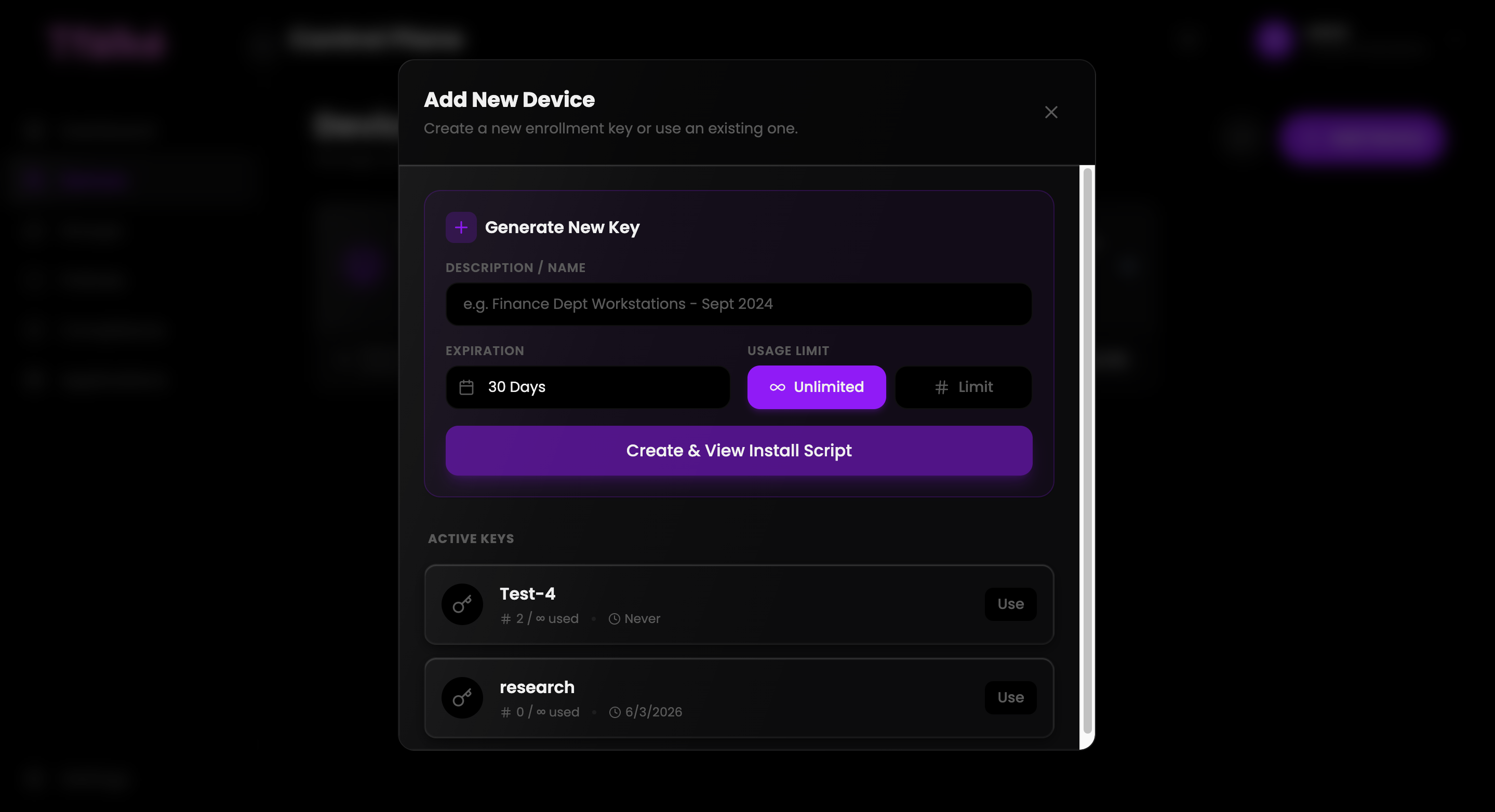
Create Enrollment Key
Generate a secure onboarding key for a specific department or deployment scenario.
Deploy Installation Script
Execute the generated install script on the target Windows endpoint.
Verify Device Registration
Devices automatically appear inside the TFalke control plane.
Device Management
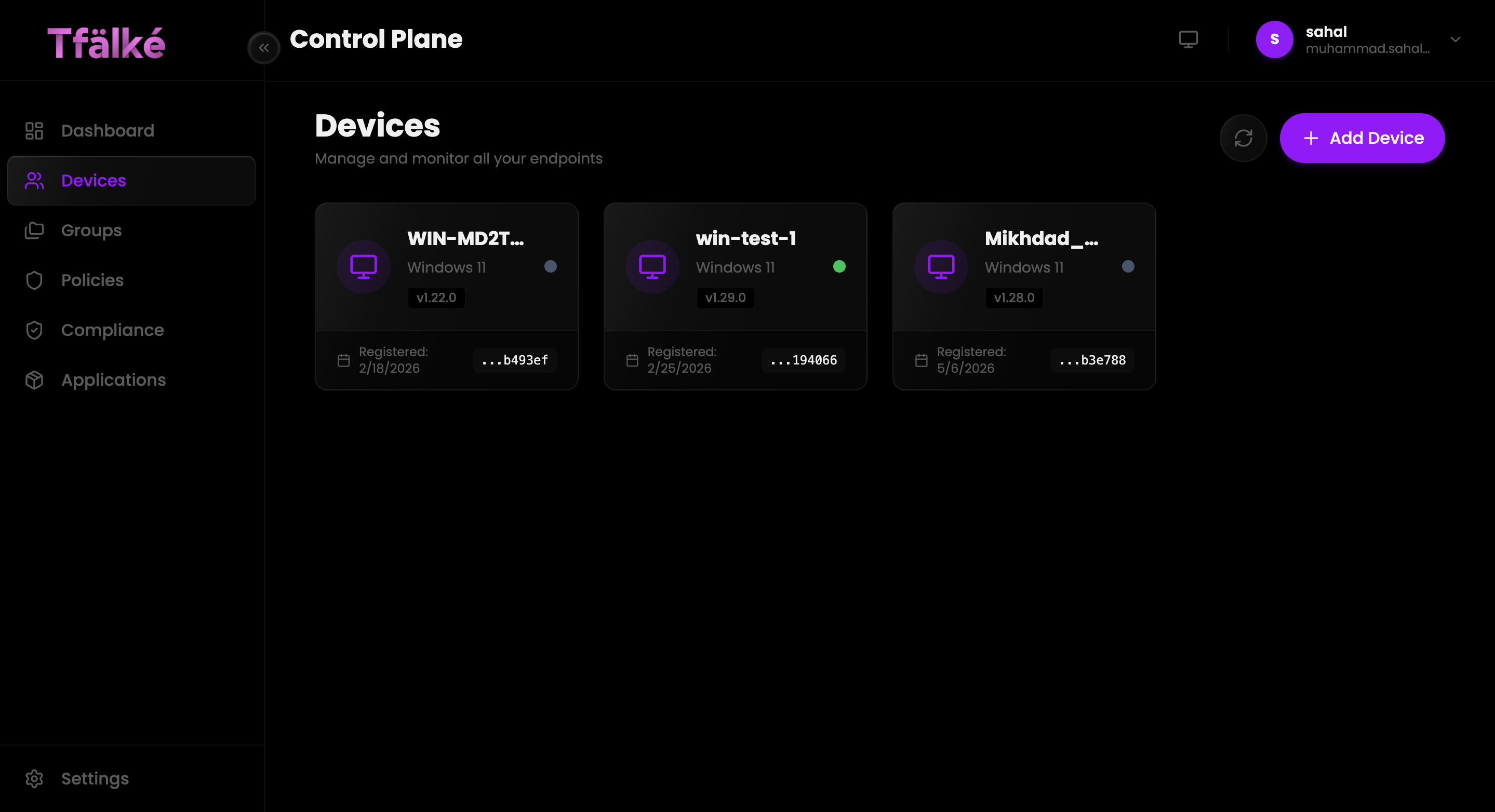
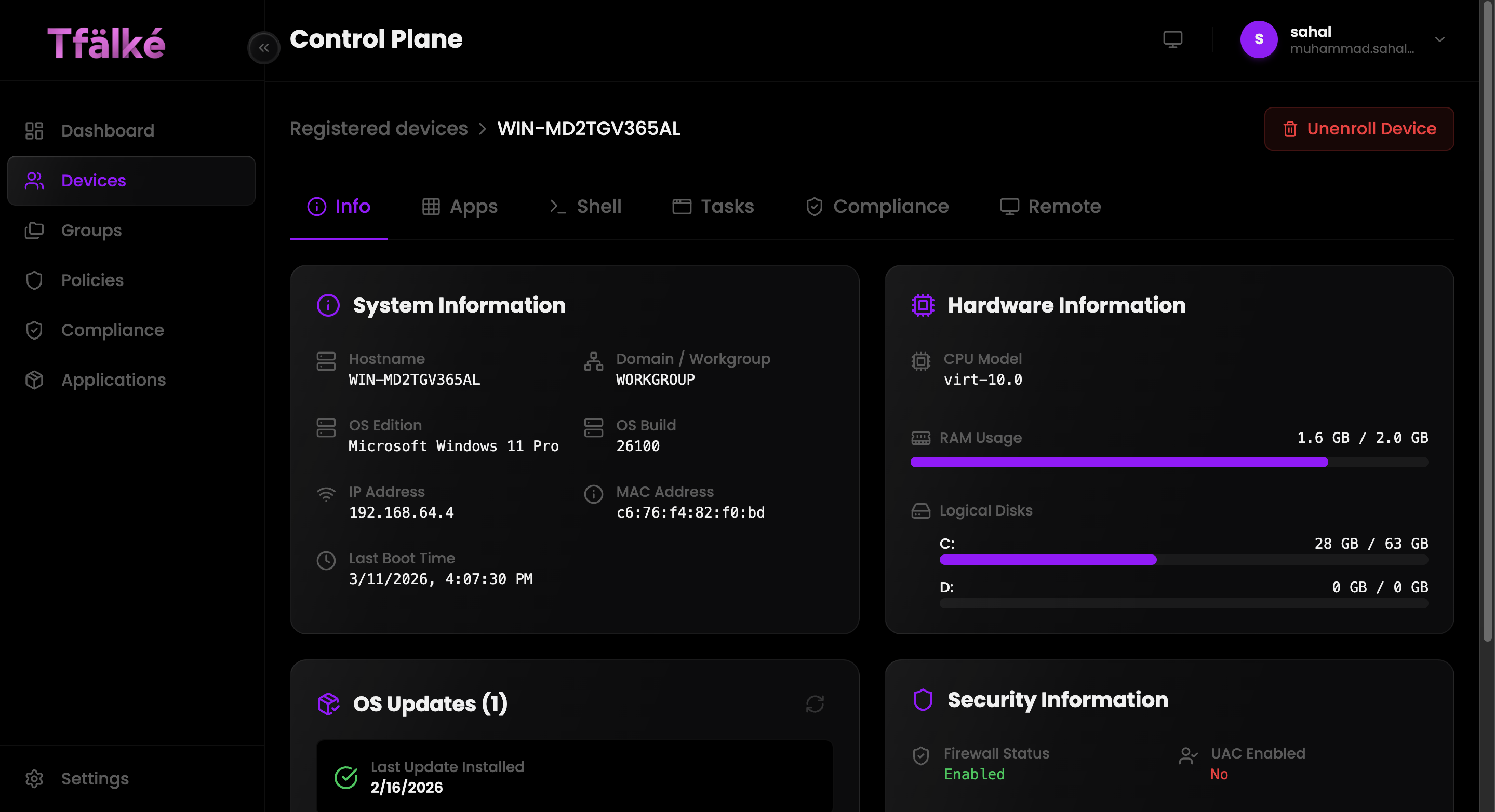
Monitor hardware, operating systems, installed applications, security status, and operational telemetry across all connected endpoints.
System Information
Access hostname, operating system, IP address, build details, and device identifiers.
Hardware Monitoring
Review CPU details, RAM utilization, disk usage, and hardware telemetry.
OS Updates
Track update installation status and operating system maintenance.
Security Visibility
Monitor firewall status, UAC configuration, and endpoint security posture.
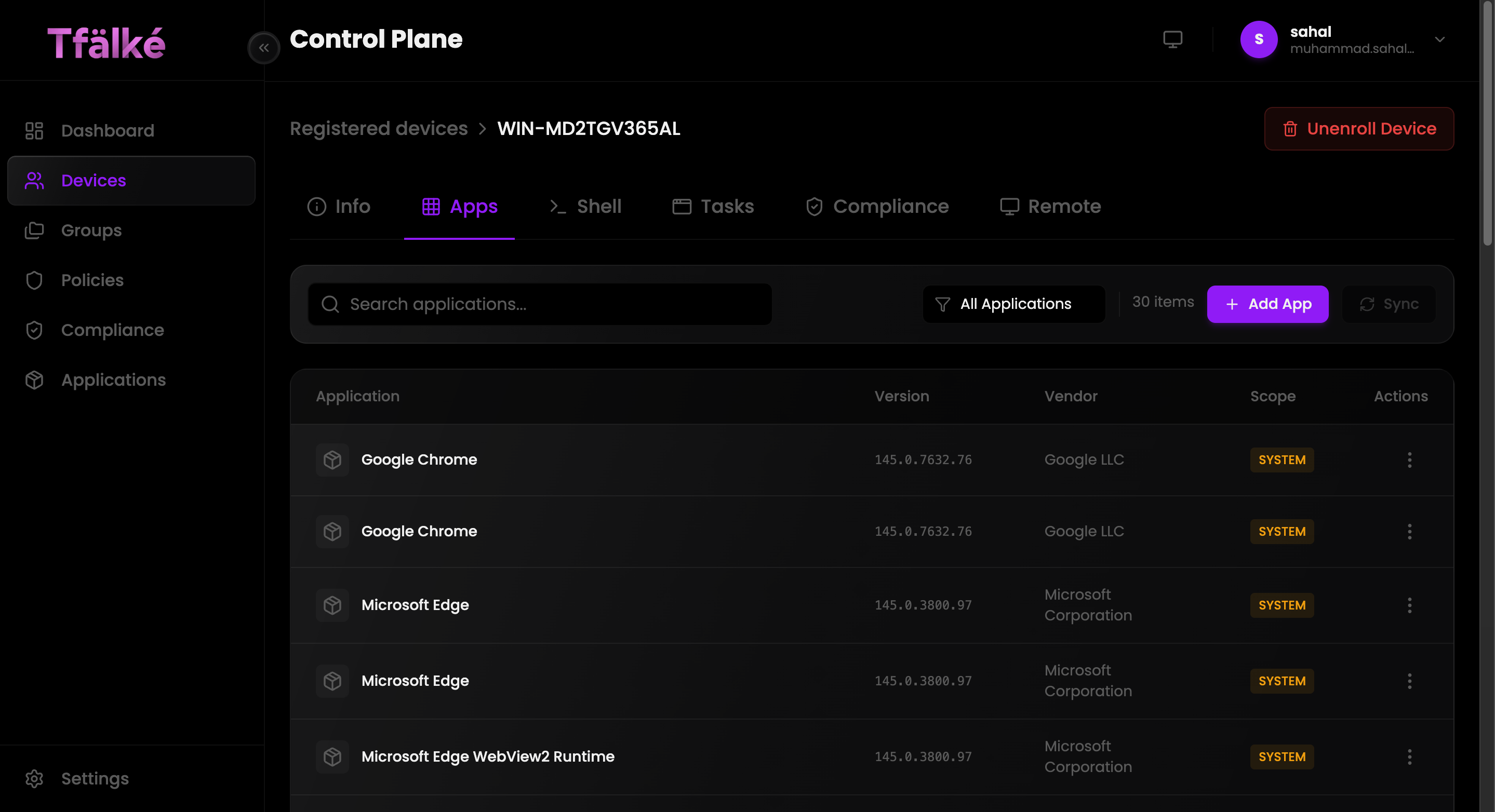
Per-Device Application Visibility
TFalke provides complete application inventory visibility for every managed endpoint.
One-Click Remote Desktop Access
Launch secure real-time remote desktop sessions instantly with integrated device intelligence, compliance visibility, and operational controls directly from the TFalke control plane.
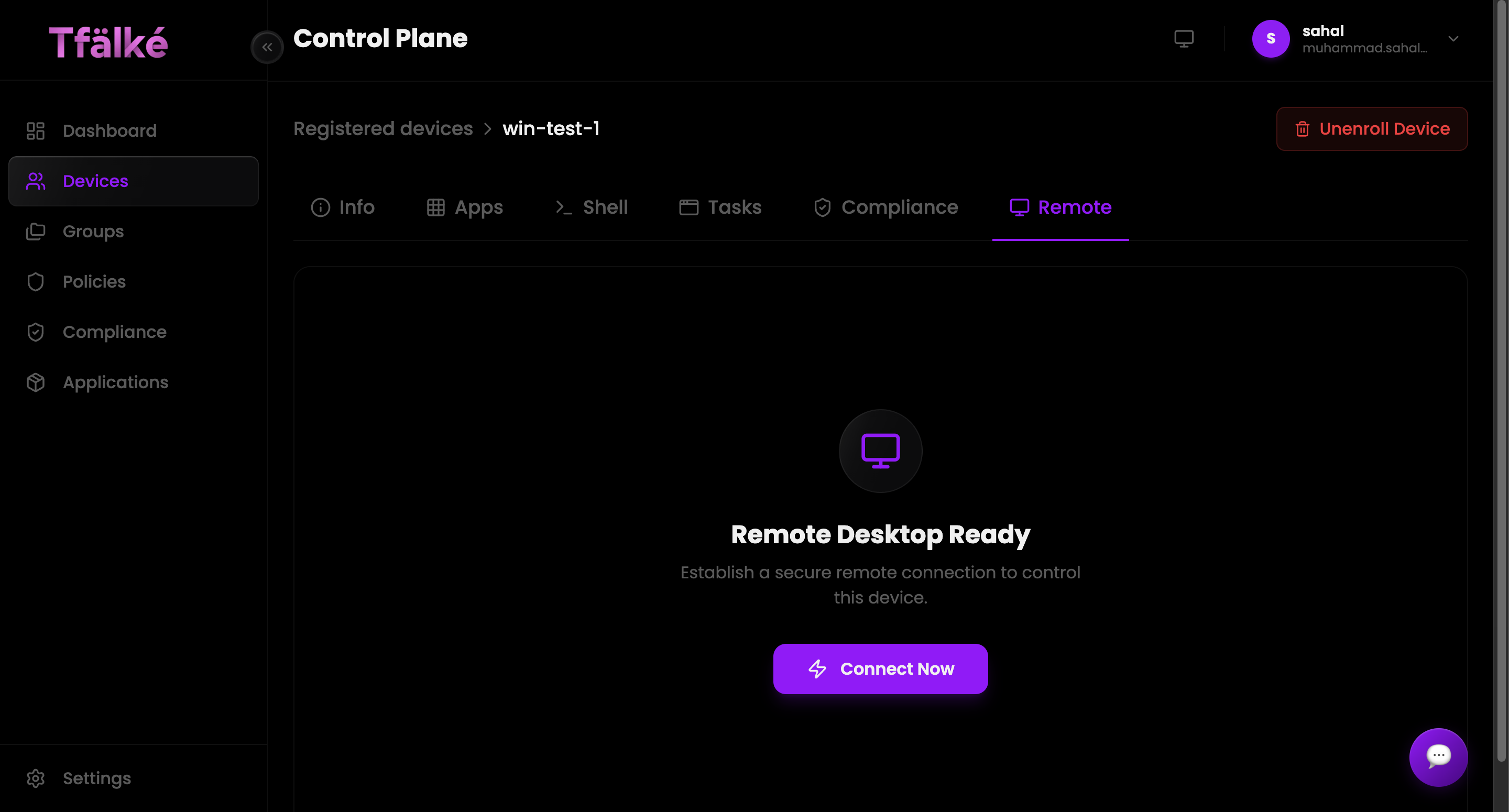
Instant Remote Sessions
Connect to managed endpoints immediately using persistent real-time communication channels.
Integrated Device Visibility
Access hardware telemetry, compliance posture, shell access, applications, and operational tasks during live sessions.
Operational Troubleshooting
Diagnose user issues, investigate incidents, and perform remediation workflows remotely.
Enterprise Security
Remote operations are initiated through authenticated secure infrastructure channels managed by the TFalke control plane.
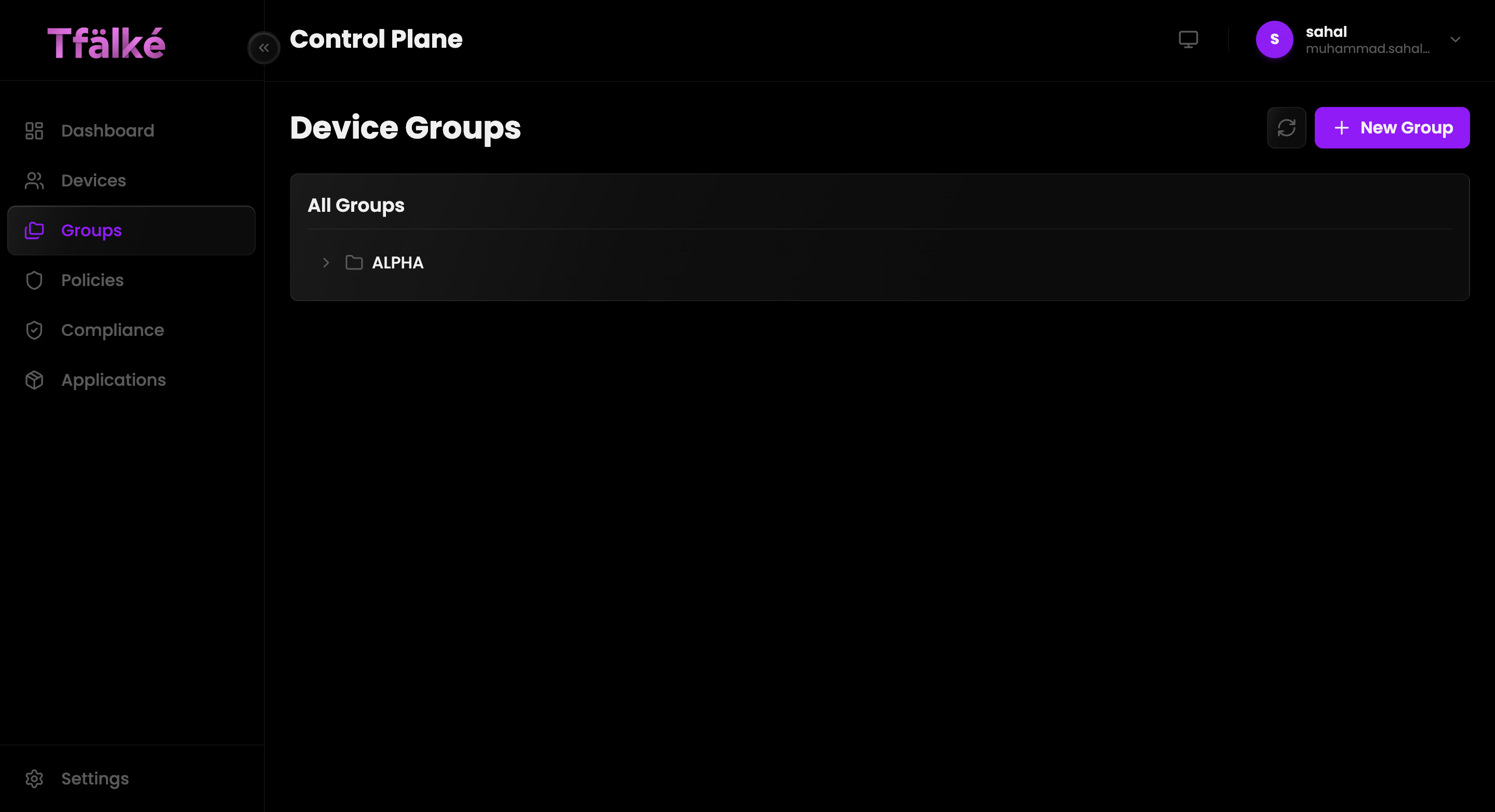
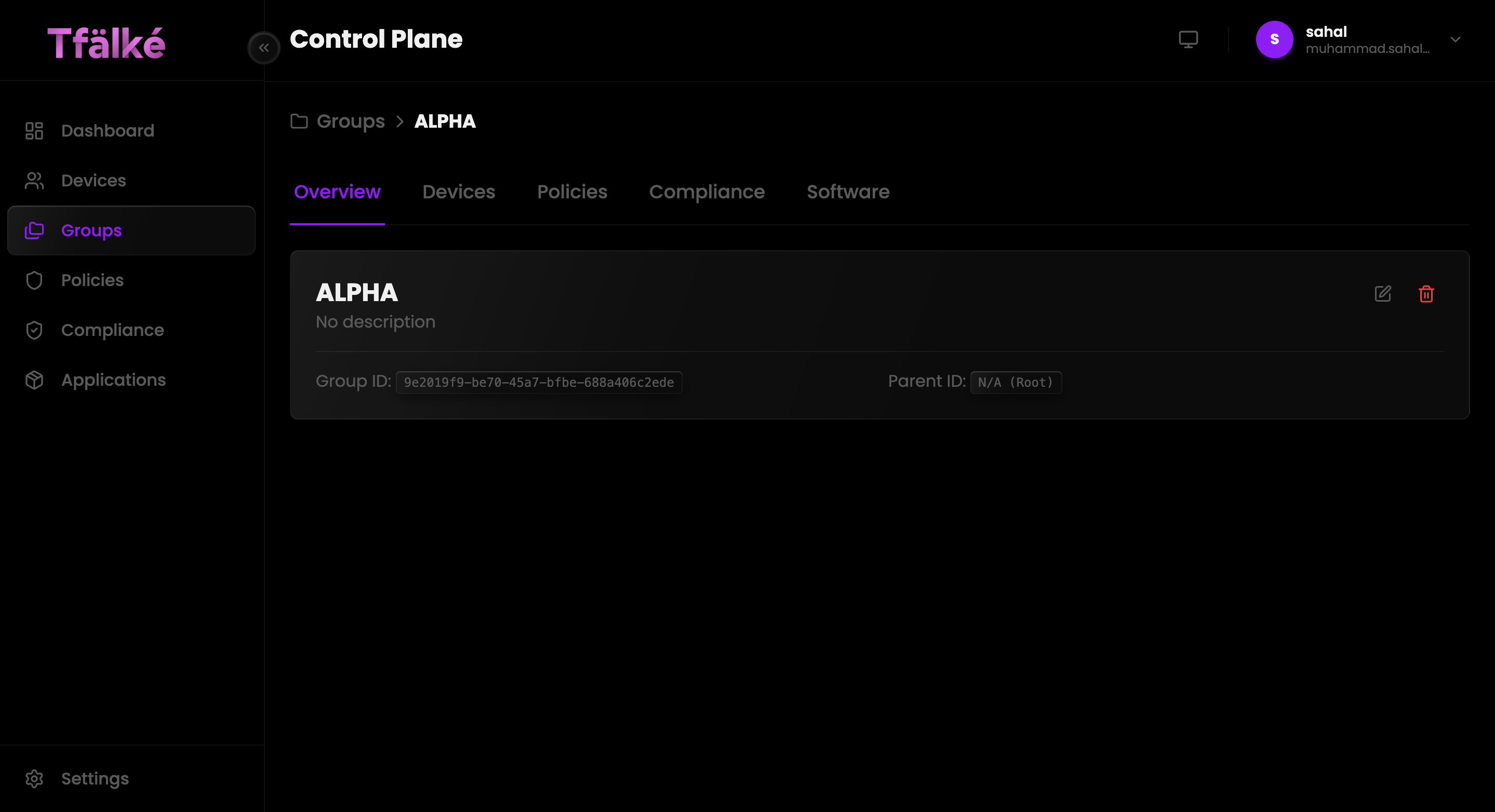
Device Groups
Organize infrastructure into logical groups for policy assignment, software deployment, and compliance targeting.
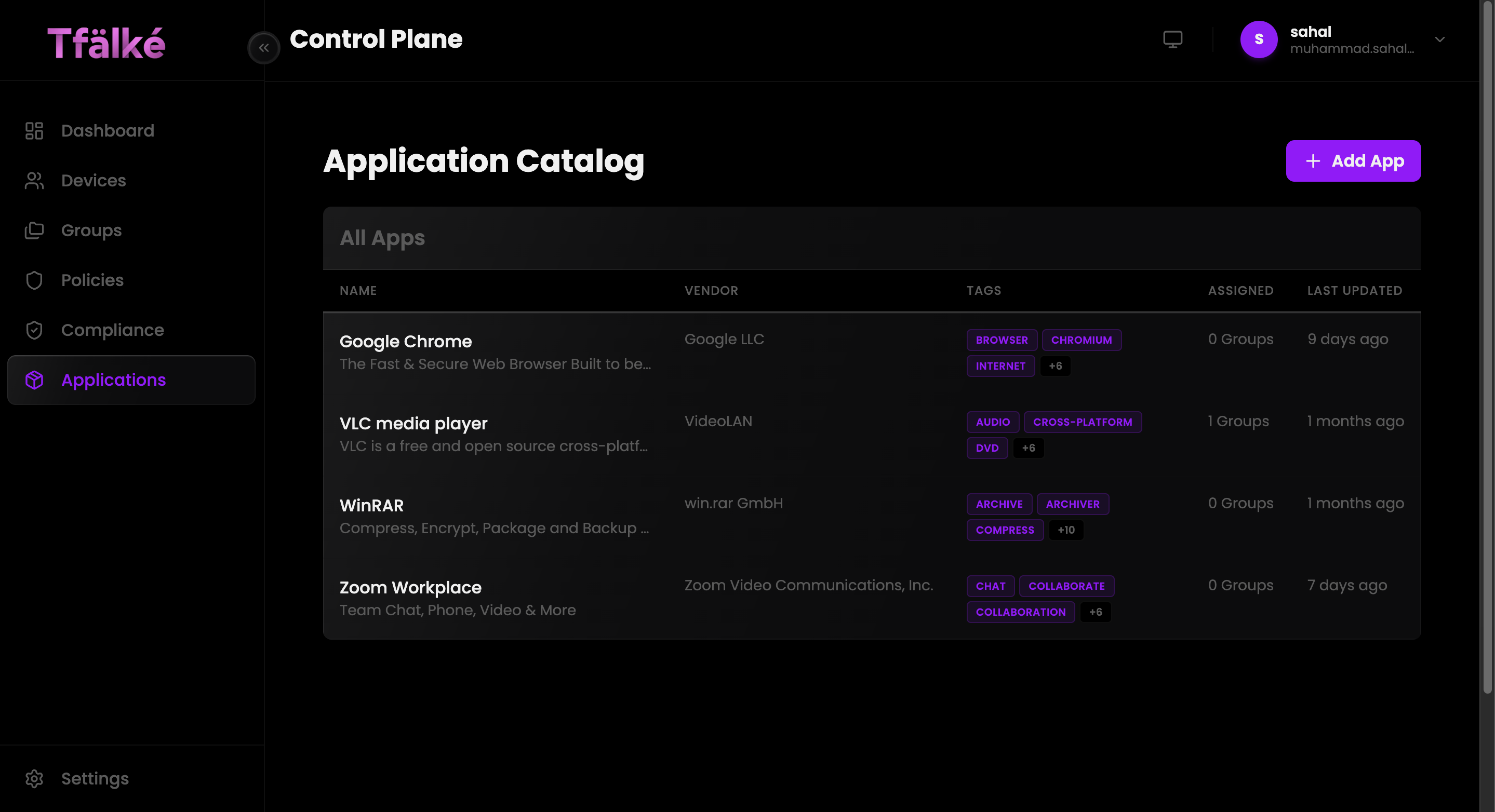
Application Catalog
Deploy and manage applications centrally using TFalke's global software catalog and deployment system.
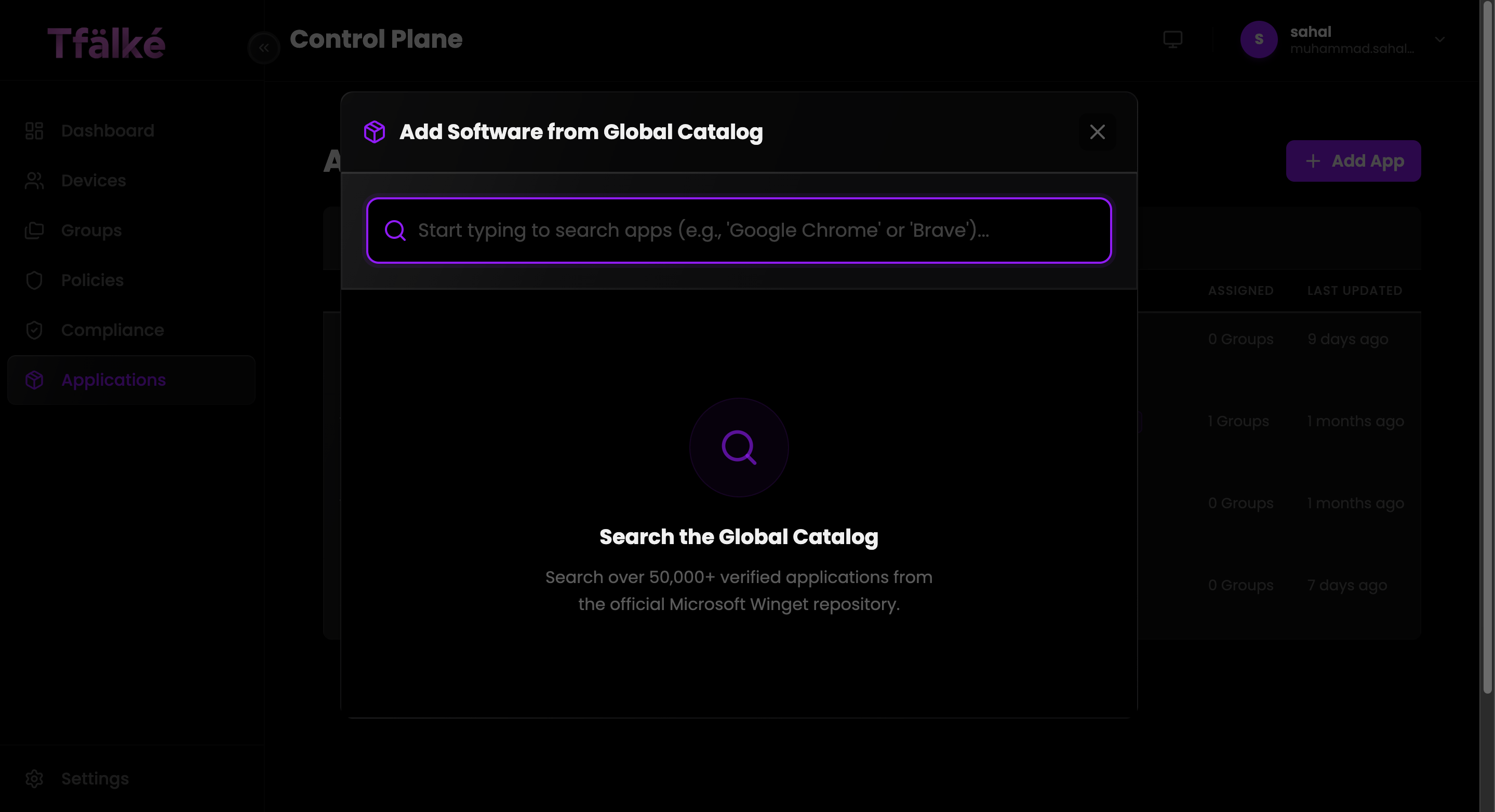
Global Catalog
Search verified applications directly from centralized repositories.
Application Assignment
Deploy software across device groups and managed endpoints.
Version Tracking
Monitor installed versions and vendor metadata across the fleet.
Deployment Visibility
Review application deployment states and operational assignments.
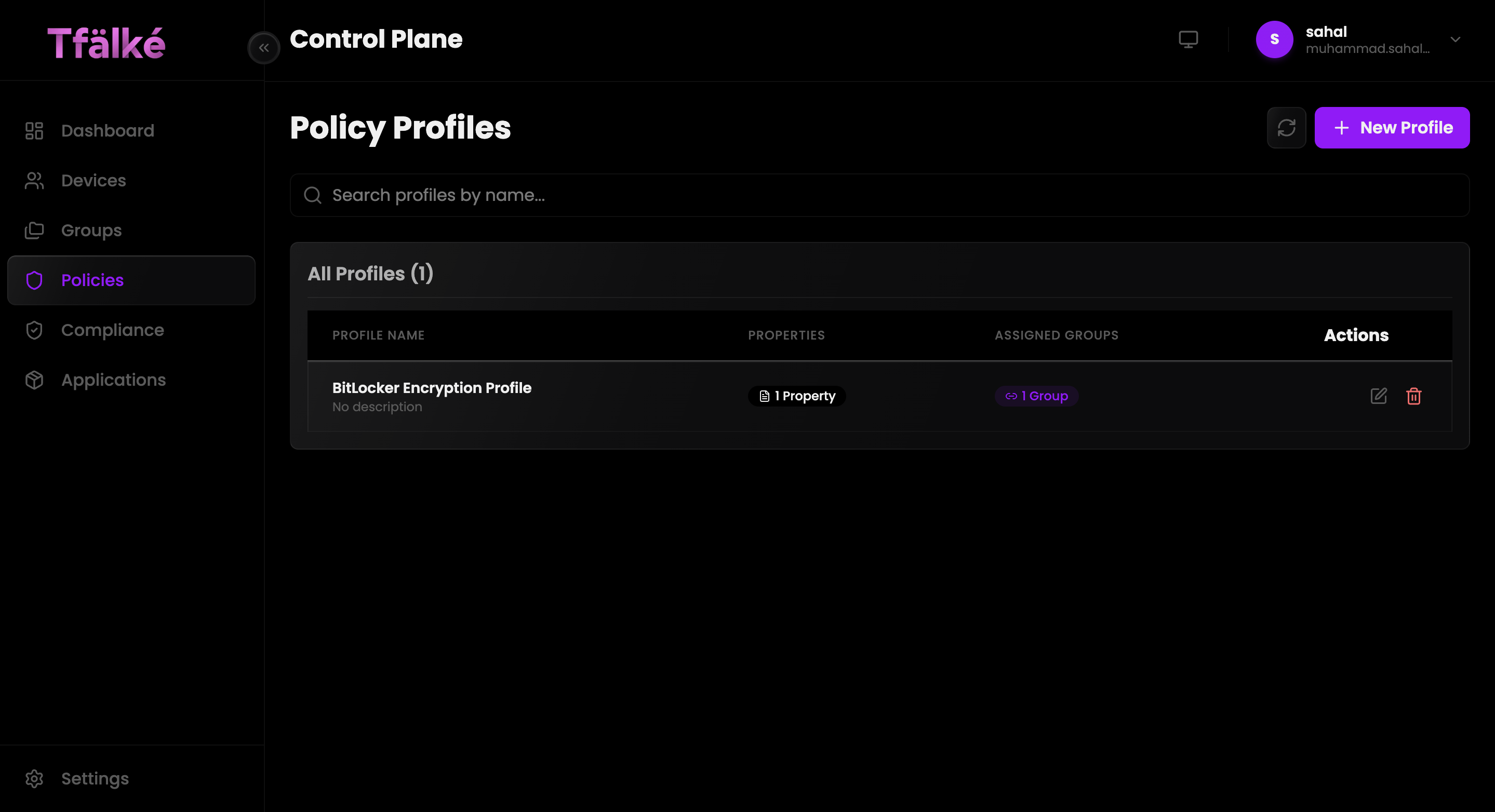
Policy Management
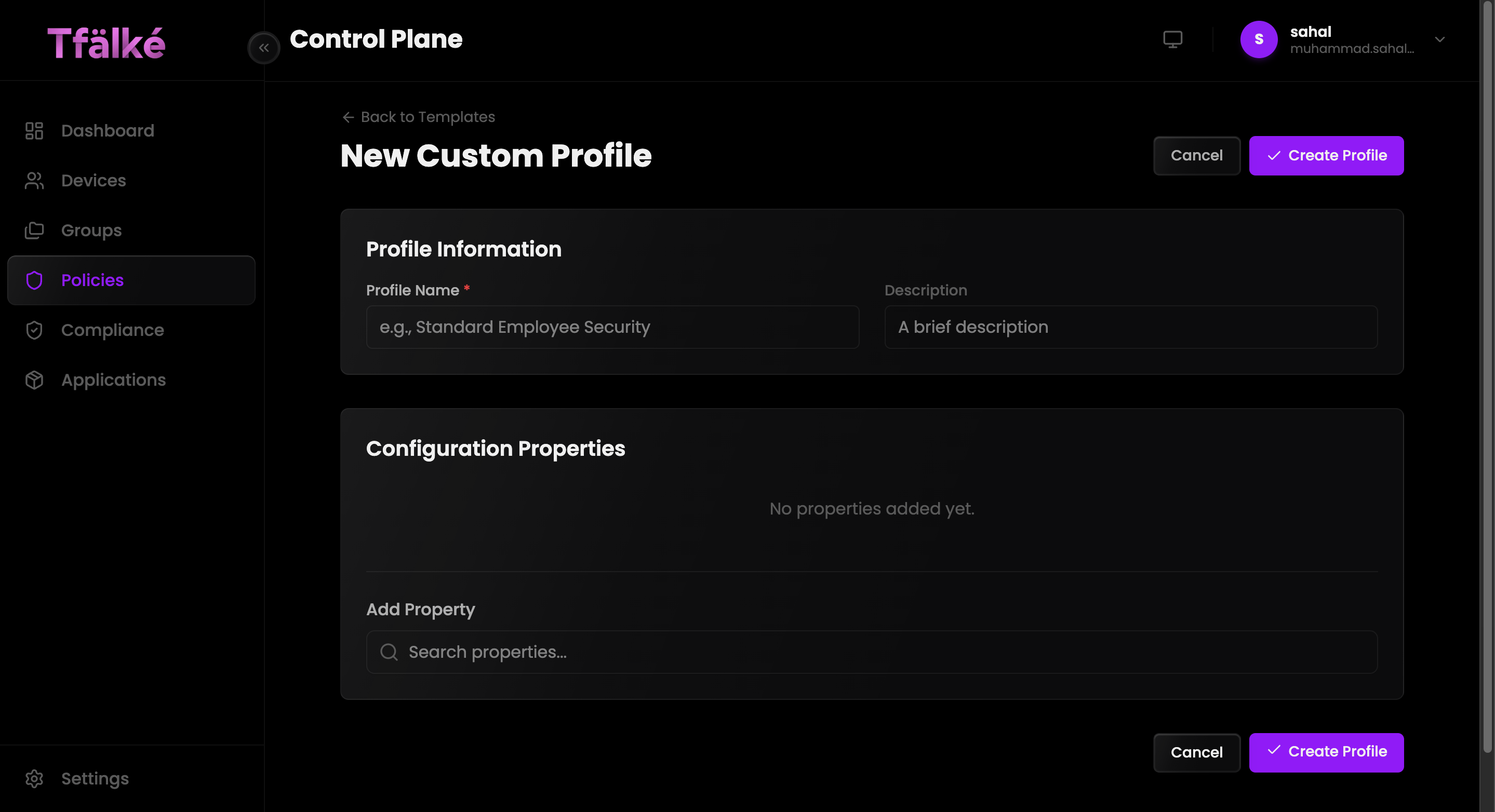
Create reusable policy profiles using templates or fully custom configuration properties.
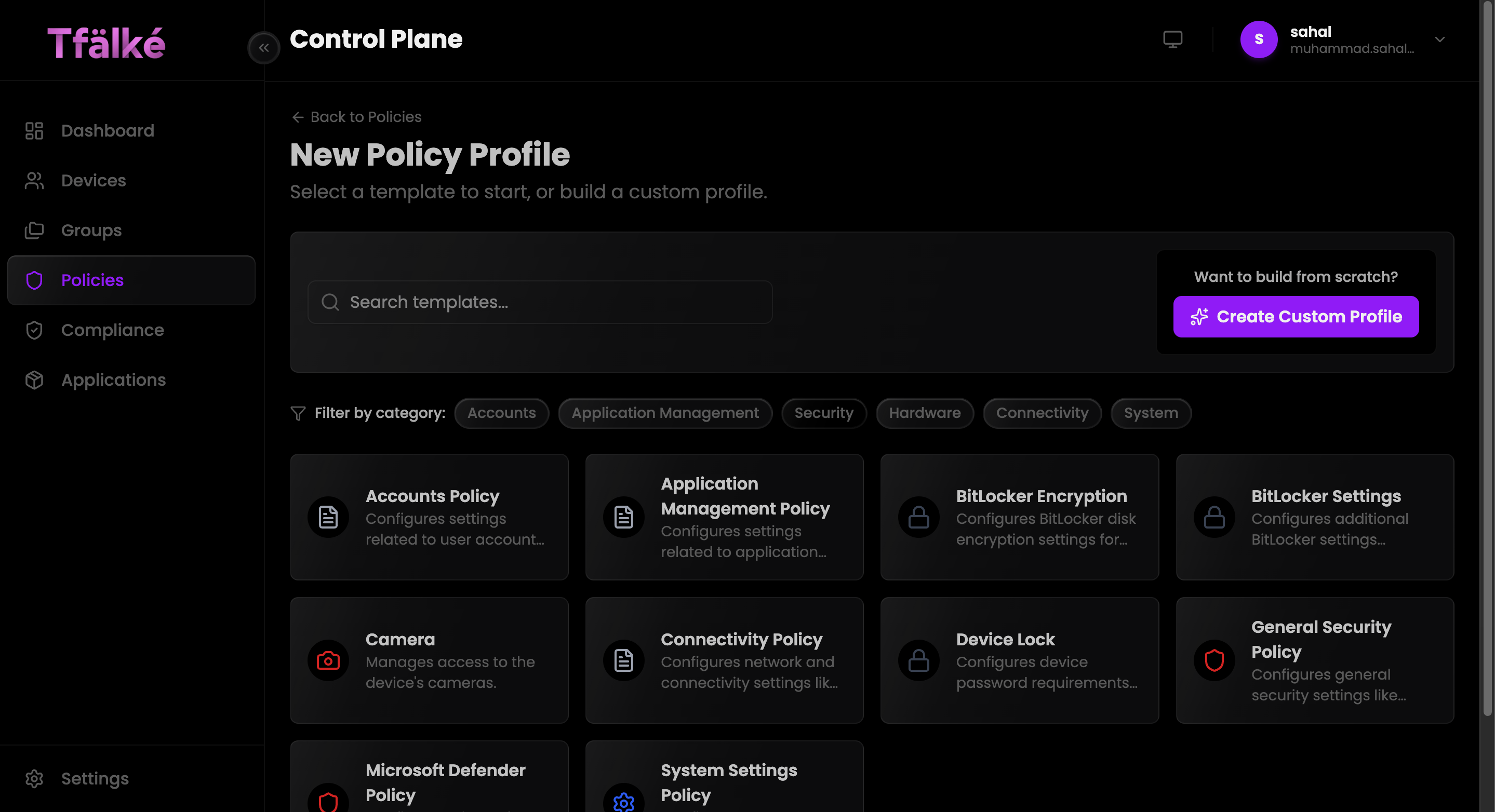
Select Template
Start from predefined security and operational policy templates.
Configure Properties
Add and customize configuration properties based on deployment requirements.
Assign to Groups
Apply profiles to targeted device groups for real-time enforcement.
Compliance Management
Enforce security baselines using CIS benchmark frameworks with real-time evaluation and verified execution tracking.
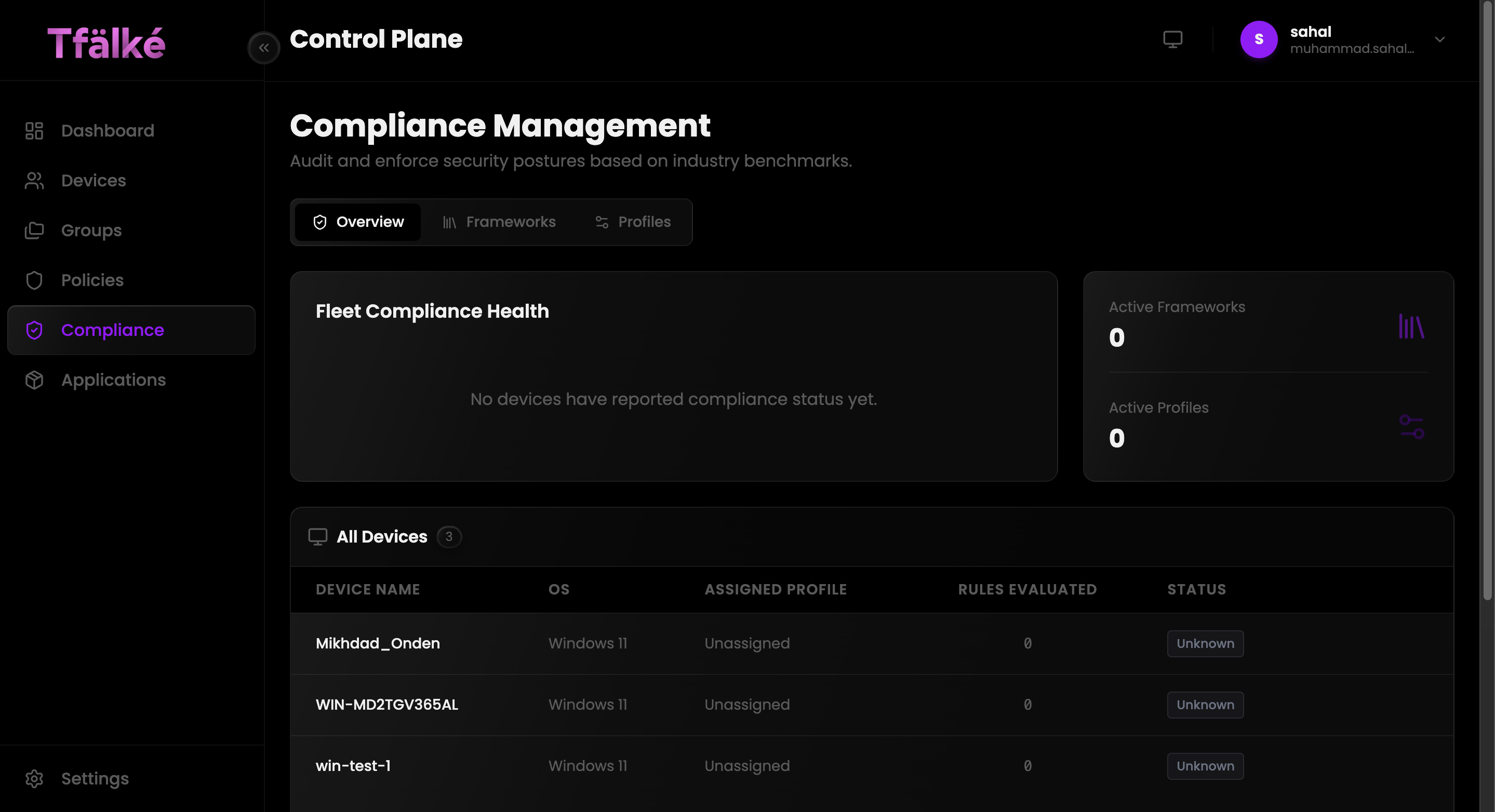
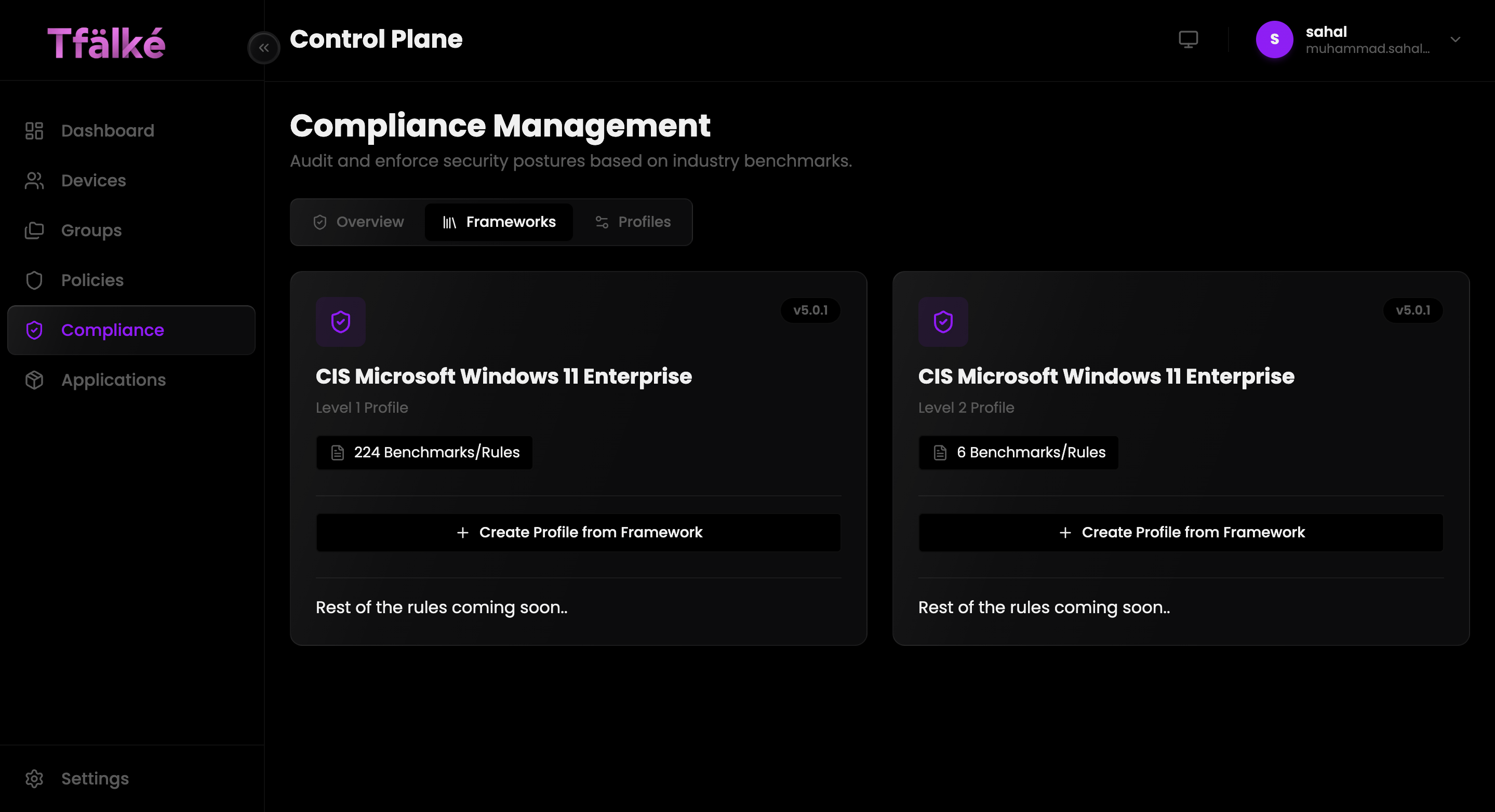
Framework Management
Deploy CIS benchmark frameworks for enterprise security compliance.
Audit & Enforcement
Configure rules in audit-only or active enforcement modes.
Fleet Health Visibility
Monitor compliance posture across all managed endpoints.
Verified Outcomes
Every compliance operation returns execution confirmation and rule evaluation status.
Autonomous Infrastructure Agent
Execute infrastructure operations and troubleshooting workflows using AI-assisted command orchestration.
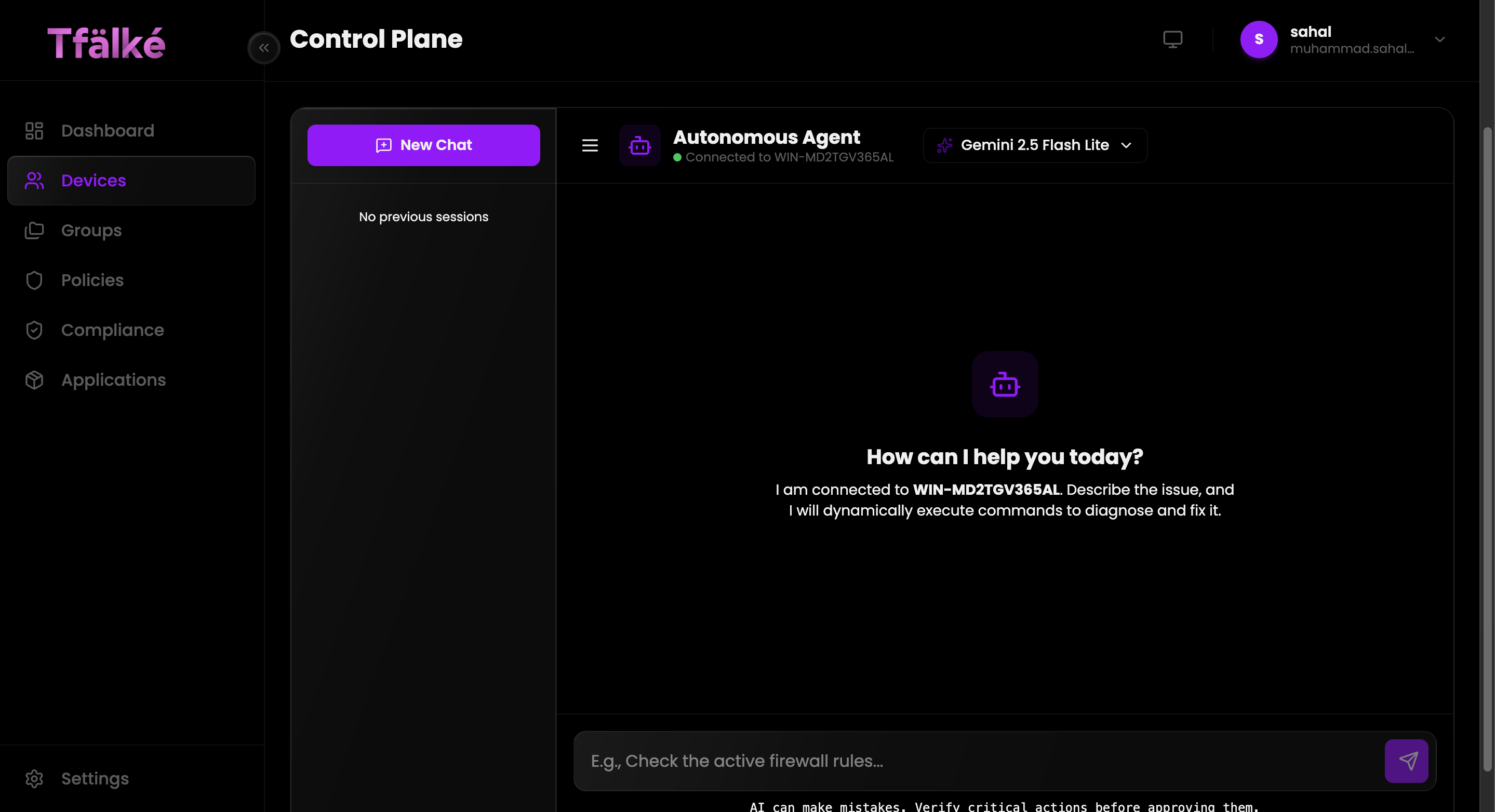
Natural Language Operations
Interact with infrastructure using conversational workflows.
Remote Diagnostics
Analyze and troubleshoot systems without direct shell interaction.
Command Execution
Execute operational tasks dynamically across connected endpoints.
Execution Visibility
Review responses and operational outcomes directly inside the control plane.
Team Management
Manage access control, invitations, onboarding workflows, and organization-level permissions.
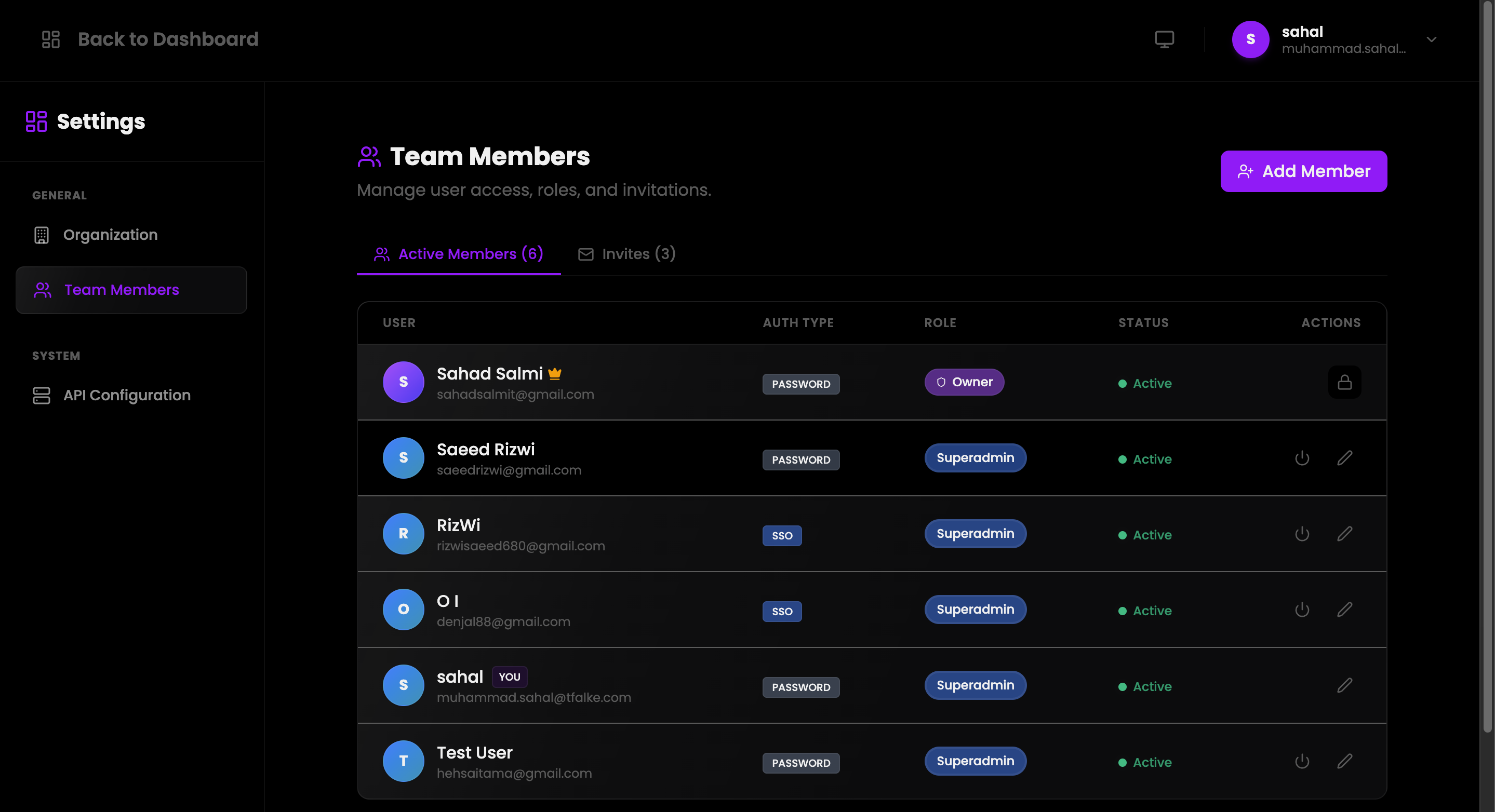
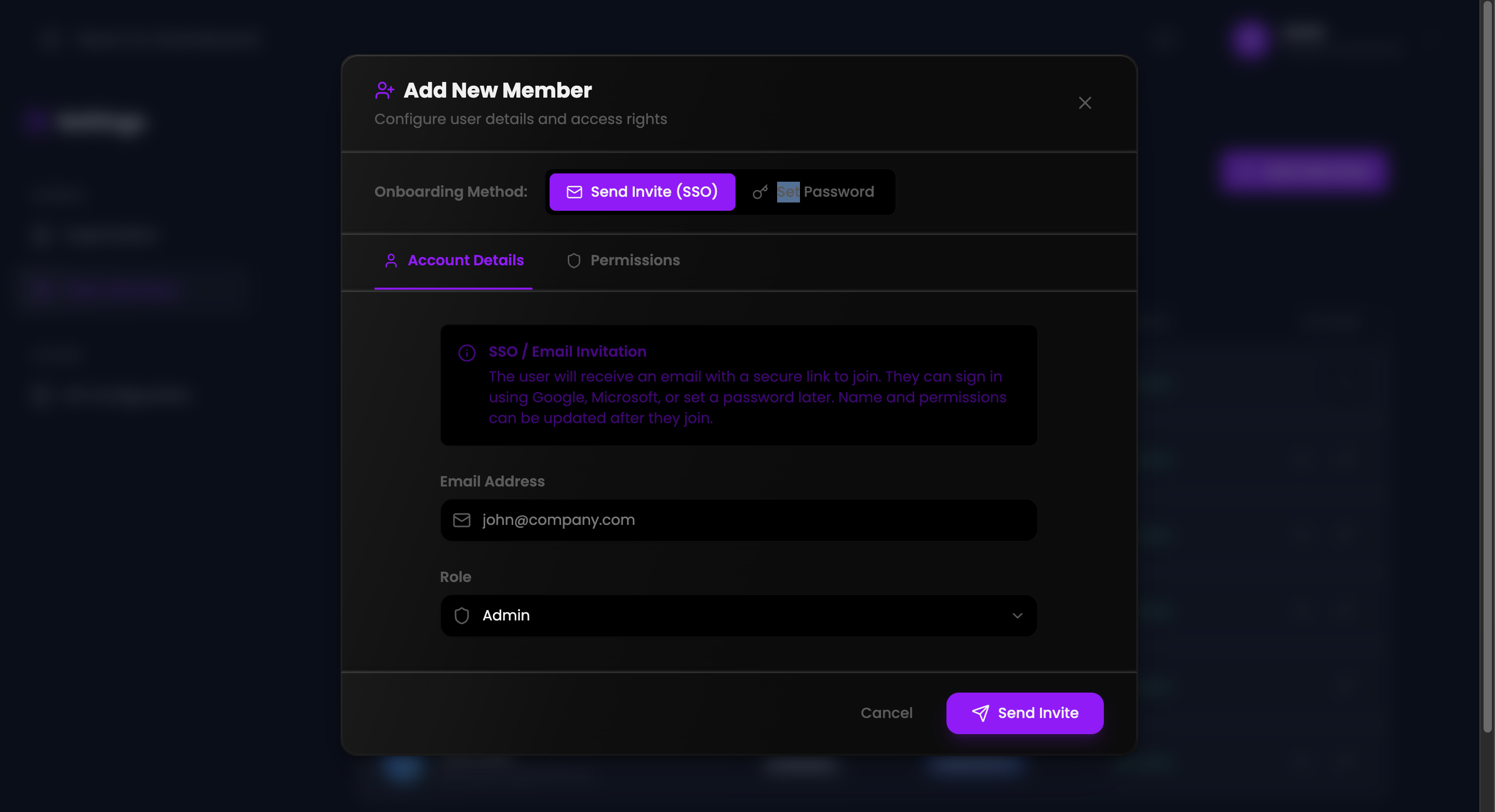
Role-Based Access Control
Assign Owner, Superadmin, and administrative permissions securely.
SSO Invitations
Invite users securely using email-based onboarding workflows.
Permission Management
Restrict operational access using granular administrative roles.
Operational Visibility
Monitor member status and authentication methods organization-wide.
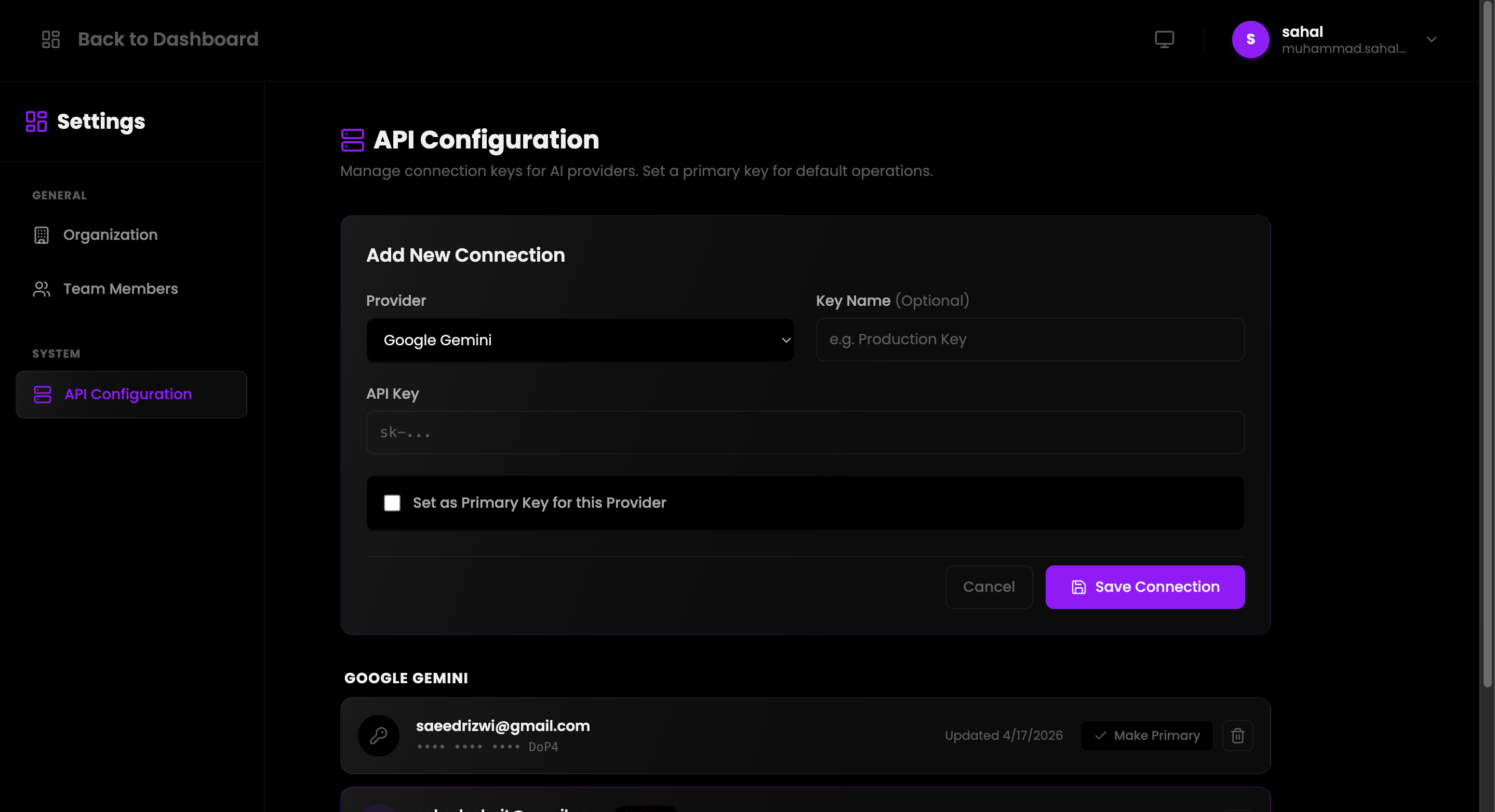
API Configuration
Configure and manage AI provider integrations for infrastructure automation workflows.
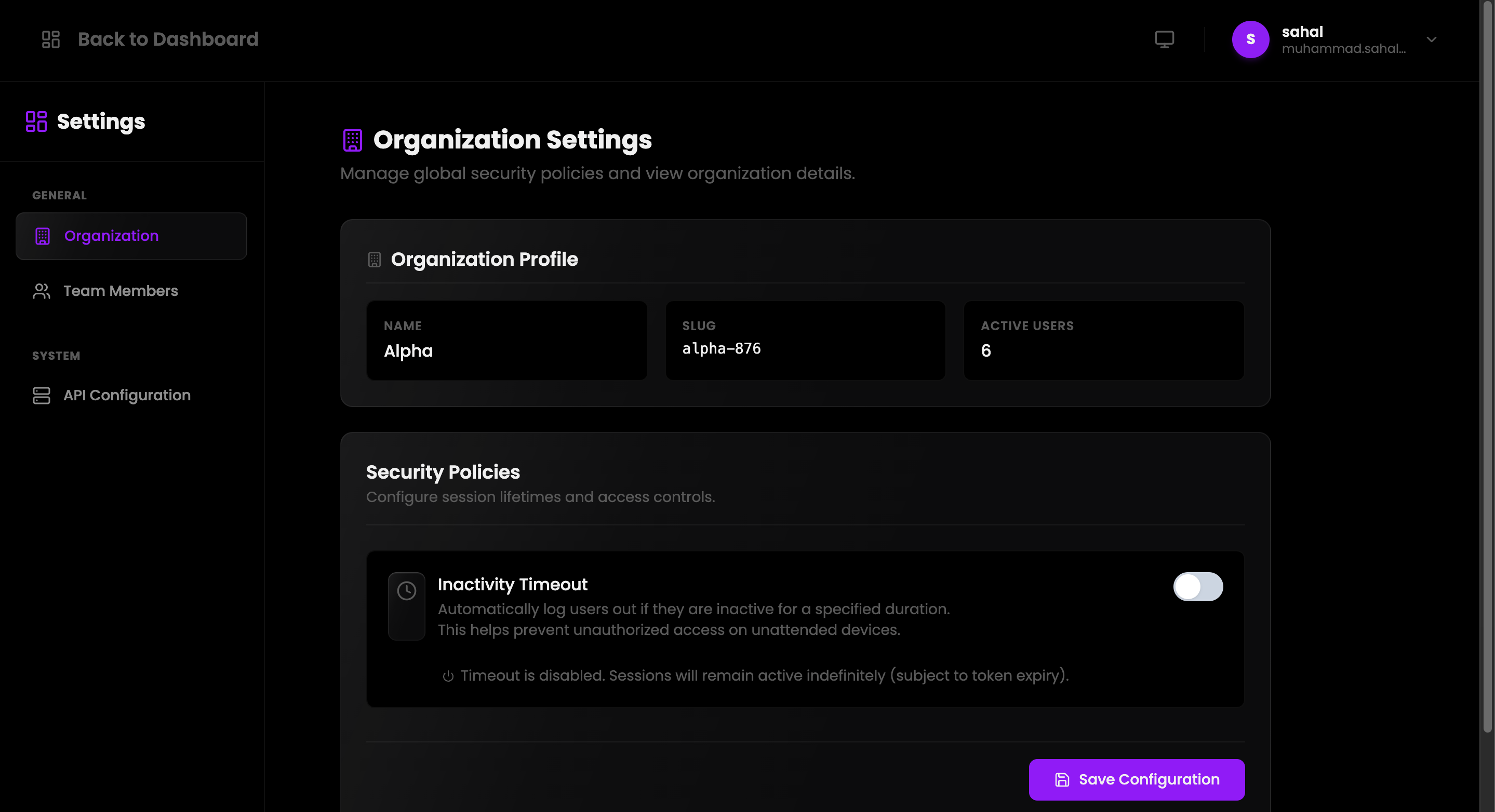
Organization Settings
Configure organization-wide security policies, inactivity controls, and operational settings.
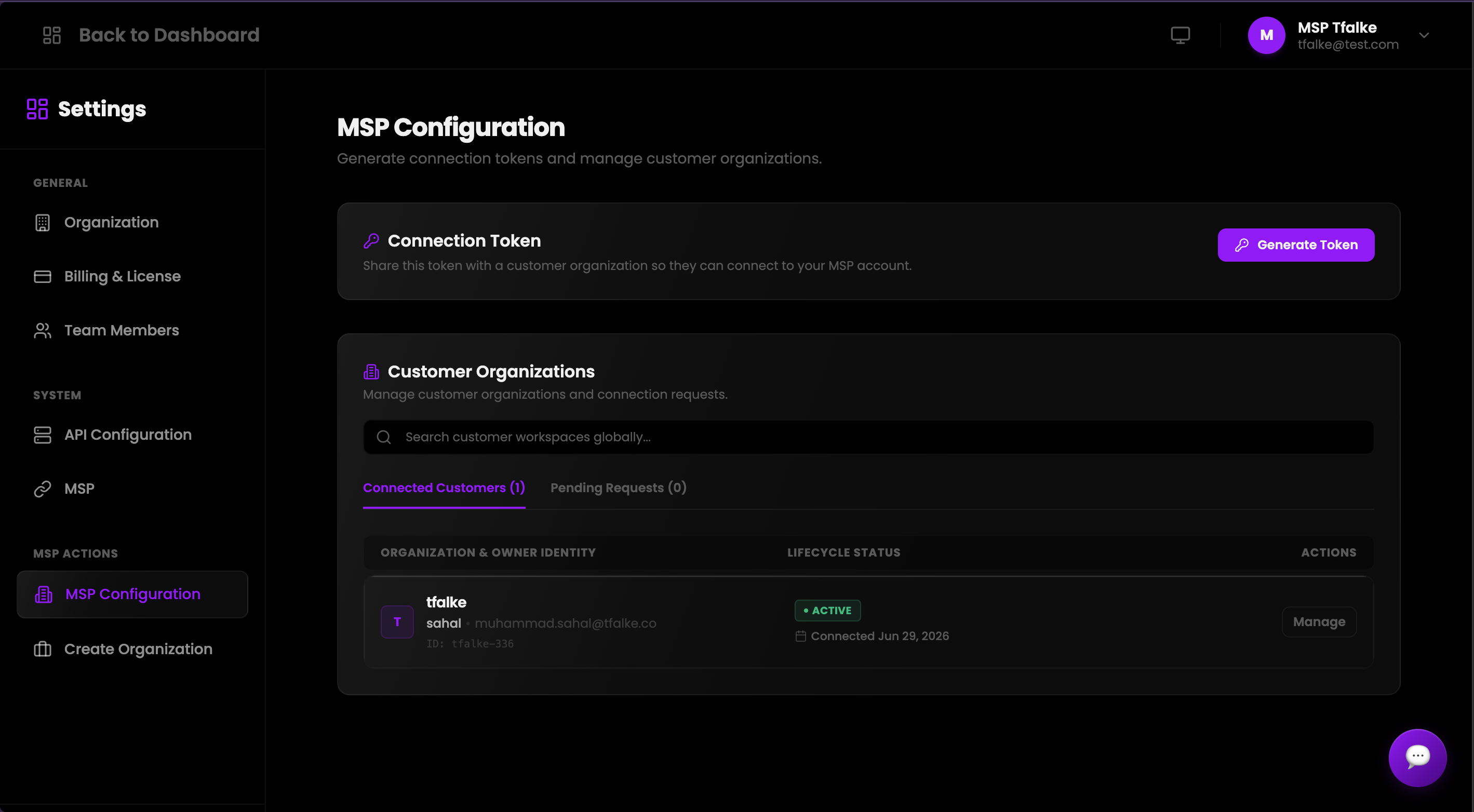
Managed Service Providers
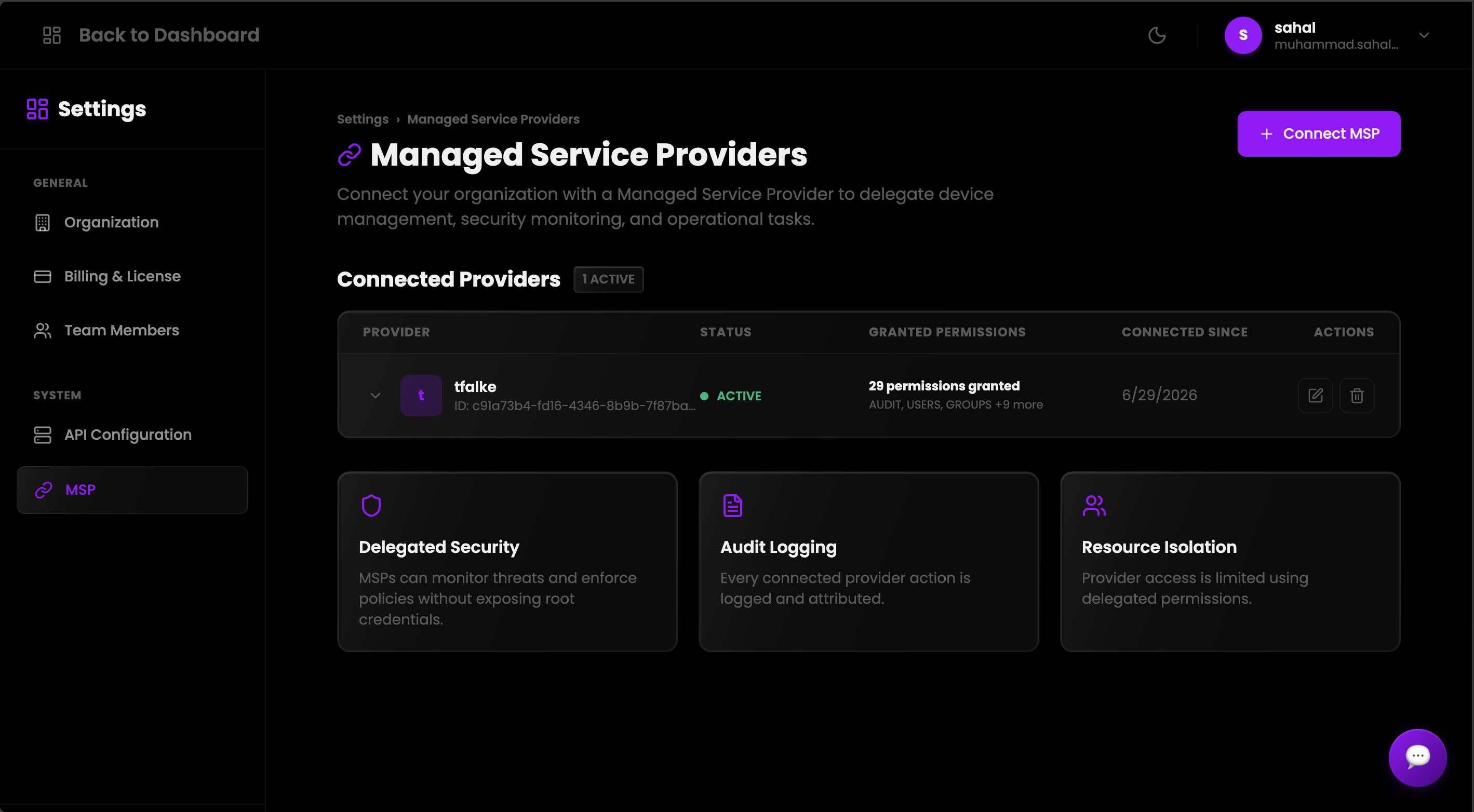
TFalke supports Managed Service Provider workflows that allow one organization to securely manage customer environments through delegated permissions, workspace switching, customer assignments, and controlled access boundaries.
Enable MSP Mode
Activate MSP capability for the provider organization from administration settings.
Connect Customers
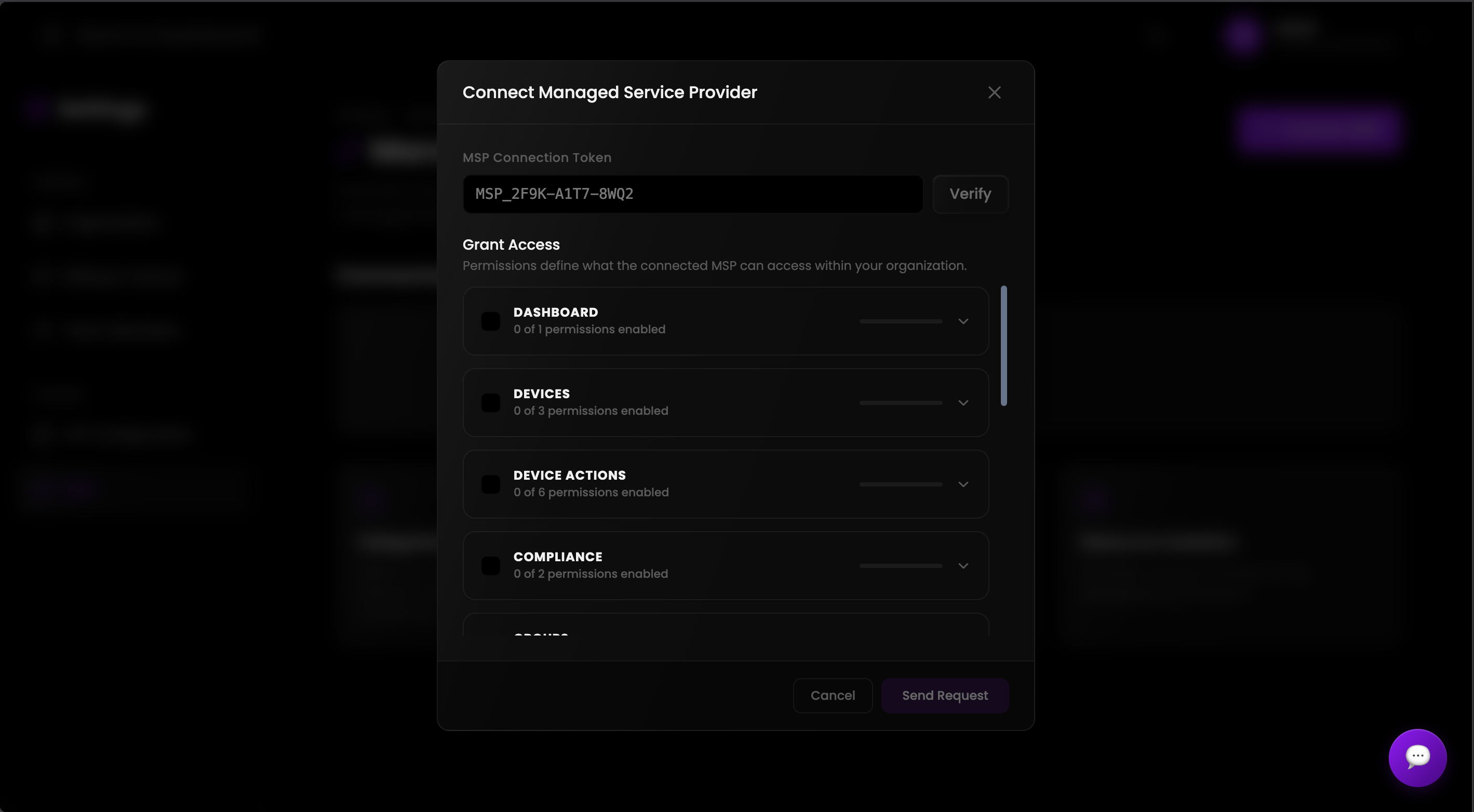
Generate a connection token, receive customer requests, and approve trusted organizations.
Assign Employees
Assign MSP employees to customer workspaces with scoped permissions.
Operate Through Workspaces
Switch into assigned customer workspaces and manage only the resources allowed by delegated permissions.
MSP Overview
An organization can enable MSP capability and act as a service provider. Under this framework, a clear operational distinction is maintained between the provider organization and the customer organization. All MSP access boundaries are strictly scoped and permission-controlled.
Enable MSP Capability
An administrator can easily enable MSP mode from the administration settings. Once activated, active organization users are automatically provisioned as MSP employees. To protect client integrity, MSP mode can be disabled only after all active or pending customer connections are disconnected.
Connection Token Flow
Establish secure relationships utilizing connection tokens. The MSP generates a secure connection token which the customer then uses to request a connection. The MSP retains control to approve or reject pending customer requests. These tokens expire automatically and should be shared securely.
Customer Organization Management
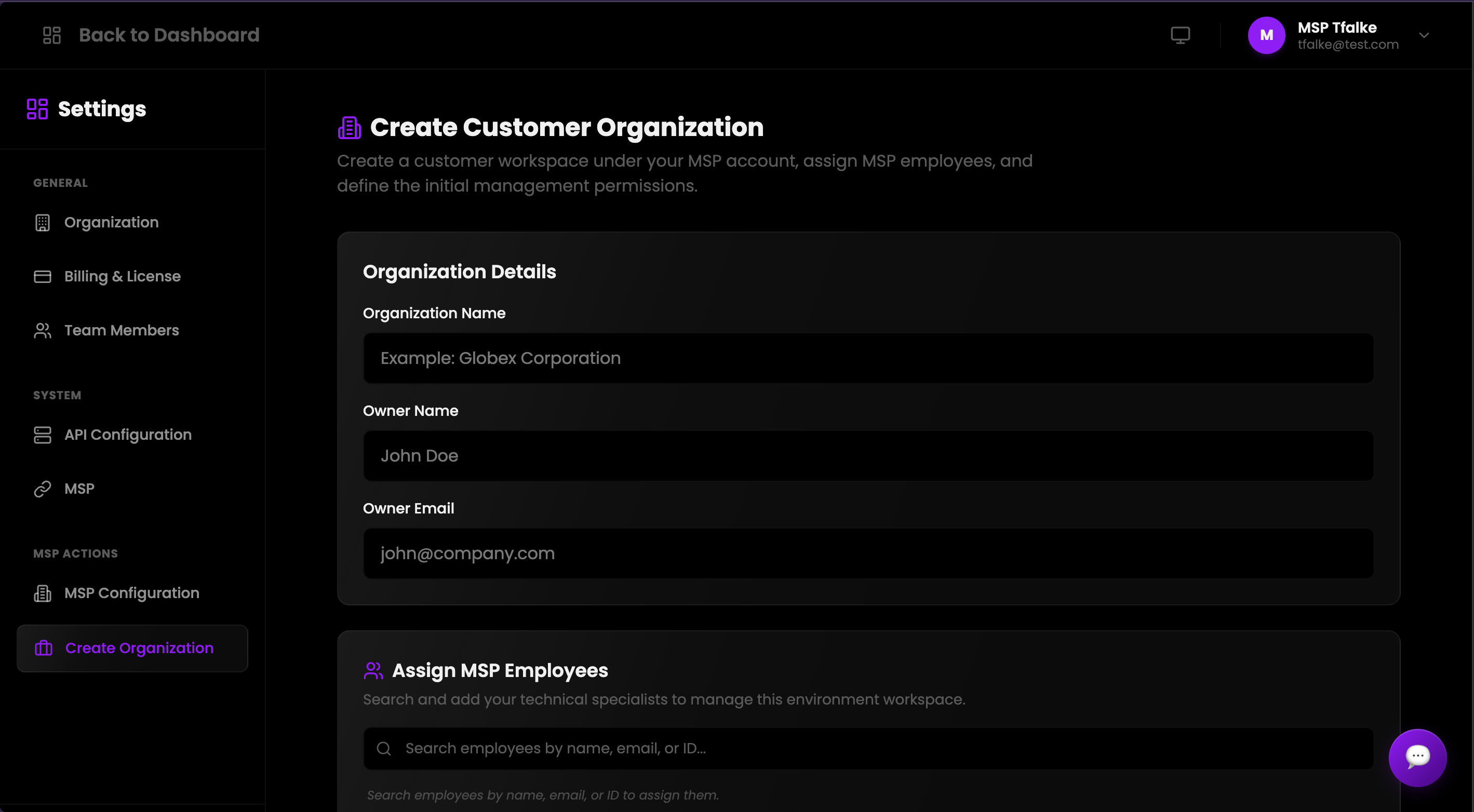
MSP administrators can create customer organizations directly within the control plane. The provisioning configuration requires the owner name, owner email, and organization name. The designated owner receives an automated account setup email, with built-in support for resending setup emails if required.
Employee Assignment
MSP employees can be strategically assigned to specific customer organizations. The control plane features employee search functionalities and supports multi-employee assignment actions. Each assigned employee receives only the specific permissions allocated to them for that customer.
Delegated Permissions
Customers retain full authority and control over what permissions the MSP receives. MSP administrators can only assign permissions to their employees within that customer-delegated scope. Any permission reduction should be handled carefully because it can remove existing access immediately.
Workspace Switching
MSP users can easily switch between their home organization and assigned customer workspaces. Active permissions are dynamically recalculated based on the selected workspace environment. Continuous customer workspace access depends entirely on active assignment and granted permissions.
Connection Management
Administrators can manage pending requests, review active customer connections, and trigger a complete revoke flow. Revoking an active connection immediately removes all active employee assignments and syncs/revokes remote access permissions across all applicable endpoints.
Security and Audit Logging
Security is enforced via scoped access, validated permission keys, token expiration policies, self-connection prevention, and immutable audit logging. MSP actions such as enabling MSP, token generation, connection approval/rejection, customer creation, assignment updates, permission changes, and revocation are fully audit logged.
Compliance & Security Auditing
TFalke incorporates a high-density, production-grade security auditing architecture designed to guarantee non-repudiation, support continuous SIEM hydration, and meet rigorous enterprise regulatory standards.
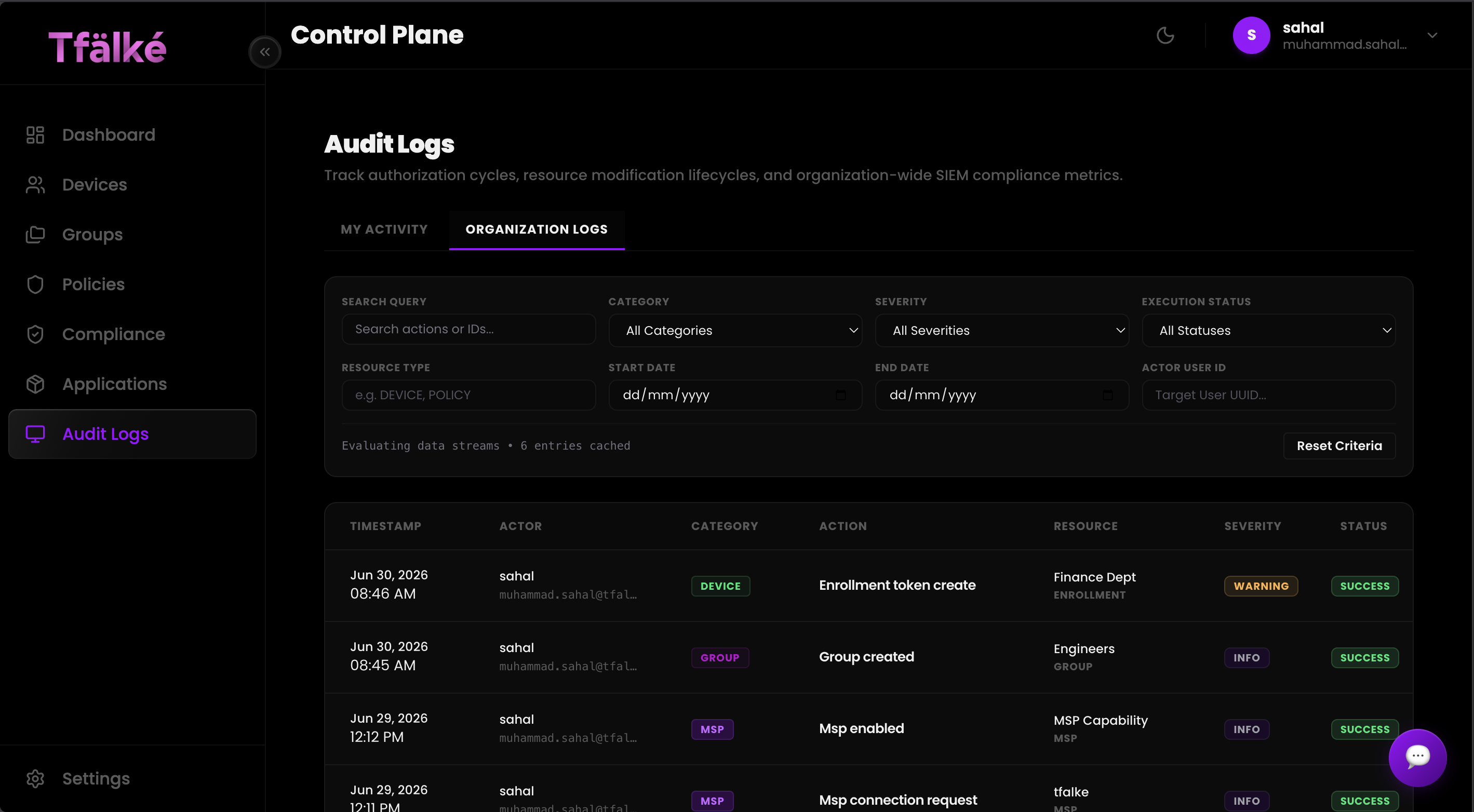
audit:view capability are automatically sandboxed to personal scope, hiding organization-wide administrative changes.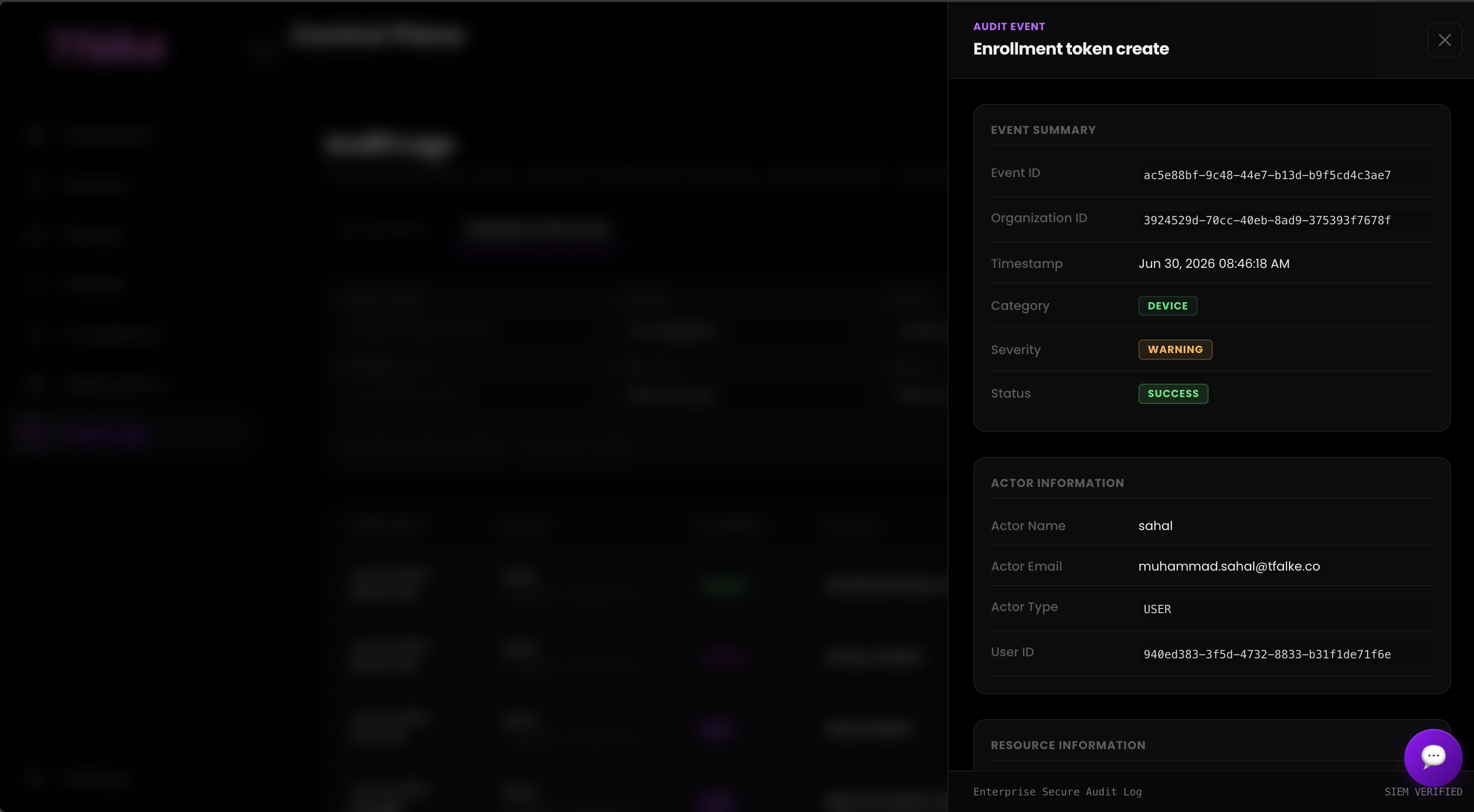
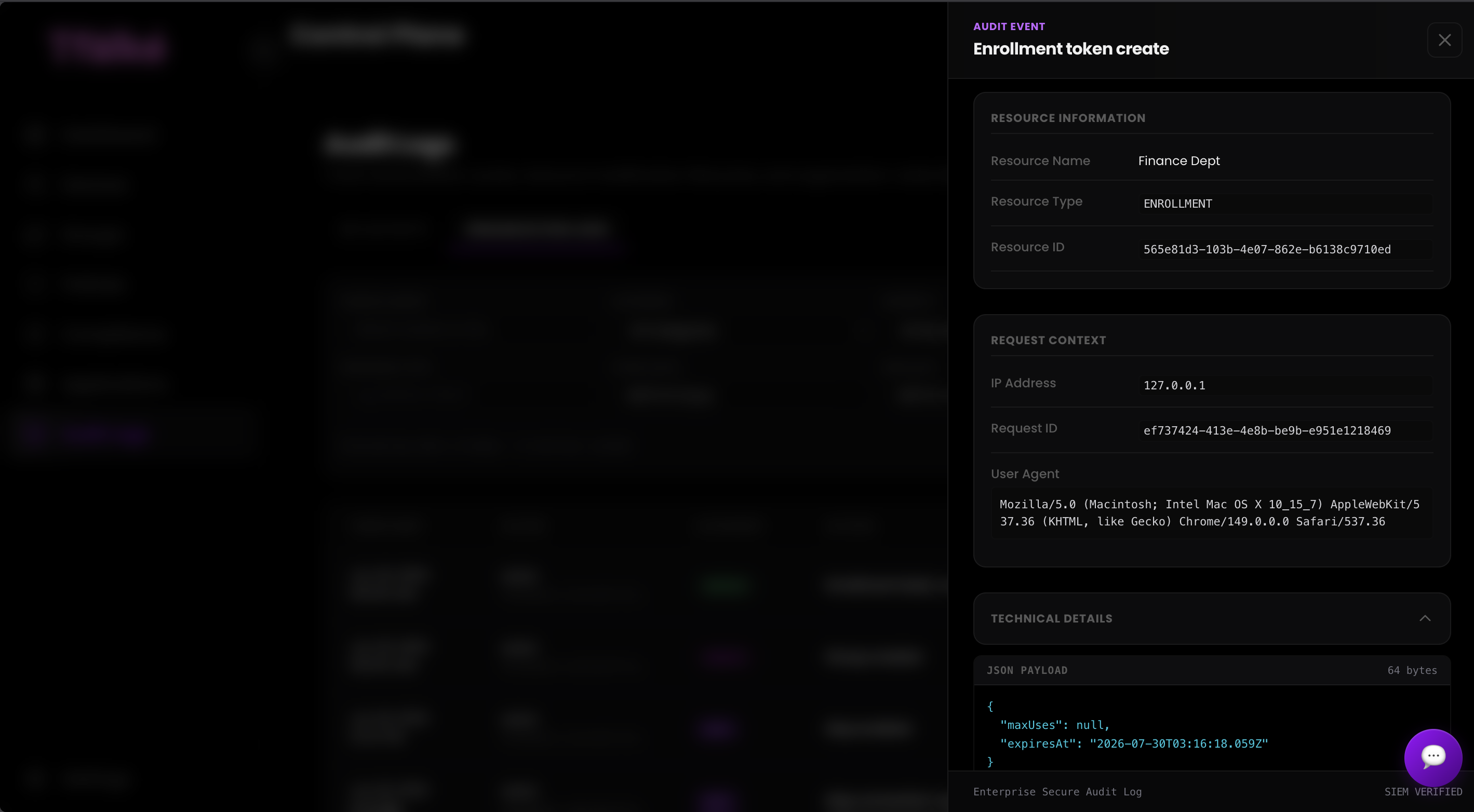
Interception & Context Capture
The core controller extracts request metadata, capturing the authenticated Actor ID, system Request ID, User-Agent parameters, and incoming client IP addresses.
Categorization & Severity Mapping
Events are categorized into fixed structural domains (Authentication, Workspace changes, MSP controls) and labeled with deterministic severity indexes (Info, Warning, Critical).
Metadata Hydration & Persistence
The service structures structured key-value maps and commits them via a transactional database layer, establishing a permanent immutable historical record.
SIEM Verification & Inspection
Records are exposed within the control plane through a localized tabular engine and an interactive side-drawer component revealing raw JSON payloads.
Granular Scope Boundaries
The streaming architecture maintains structural separation between broad organizational parameters and user activity. Query filters securely restrict record data to protect multi-tenant integrity.
Dynamic Text Filtering
Features an advanced client-side search indexing layer capable of locating target actors, targeted resources, or discrete server actions without causing performance degradation.
Severity Classification Matrix
Events are classified into explicit severity levels, mapping informational changes against critical system configurations to simplify remediation workflows.
JSON Payload Inspection
The slide-over detail drawer offers developers and security auditors direct access to immutable context objects and cryptographic trace details inside an integrated code interface.
Tracking Identifiers
Every discrete action maps to an absolute Request ID token, enabling engineers to link control plane user modifications directly to downstream server operations.
Network Path Fingerprinting
Records persistently capture the source client IP and routing footprints, providing compliance teams with complete transparency regarding where configurations were authorized.